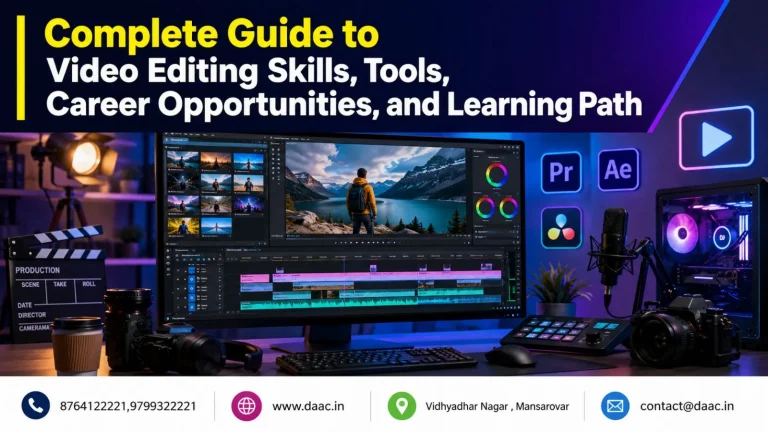
AI Video Editing is the process of using artificial intelligence and machine learning technologies to make video production faster, smarter, and more efficient. These technologies can automatically analyse footage, identify important scenes, remove unwanted backgrounds, improve audio quality, generate captions, and assist with creative decisions. In 2026, AI has become an important part of professional video production, helping beginners, content creators, marketing teams, and experienced editors improve their workflows.
Unlike basic automated editing, modern AI systems can understand visual content, recognise speech, detect objects, and perform tasks that previously required considerable manual effort. Editors can use these capabilities to reduce repetitive work while focusing more on storytelling, visual composition, and creative direction.
AI does not simply replace traditional editing techniques. Instead, it combines automation with human creativity to produce better results in less time. Understanding how this technology works is the first step towards developing professional editing skills.
How Artificial Intelligence Is Changing Video Editing
Artificial intelligence is changing how video content is created, organised, edited, and delivered. Earlier, editors had to review every clip manually, identify useful moments, adjust audio levels, create captions, and arrange footage on a timeline. Modern AI-powered systems can automate several of these activities.
Some important changes include:
-
Automatic scene detection: AI analyses footage and identifies changes between scenes, making it easier to organise large video projects.
-
Speech recognition: Spoken words can be converted into editable transcripts and captions.
-
Smart audio enhancement: Background noise can be reduced, and dialogue clarity can be improved.
-
Object and background removal: AI helps isolate people and objects without requiring complicated manual masking.
-
Content generation: Some applications can generate video clips, sound effects, and visual elements from written prompts.
-
Intelligent reframing: Landscape footage can be adjusted for vertical and square formats while keeping the main subject visible.
These capabilities are especially useful for social media creators, advertising agencies, educational platforms, and businesses that regularly publish video content.
For example, a marketing team producing several Instagram Reels from a long interview can use automatic transcription to identify important statements, generate captions, and prepare shorter video segments. An editor can then refine the cuts, add transitions, adjust colours, and ensure that the final video communicates the intended message.
The biggest advantage is improved productivity. However, AI-generated results still require human review because automated systems may misunderstand speech, select inappropriate scenes, or produce visual inconsistencies.
Difference Between Traditional Video Editing and AI Video Editing
Traditional editing depends heavily on manual operations. Editors select clips, trim footage, synchronise audio, create transitions, apply effects, and adjust colours using professional editing software. This approach offers detailed creative control but can become time-consuming when projects involve hundreds of clips.
AI-assisted workflows introduce automation into these processes. Instead of completing every task manually, editors can use intelligent features to handle repetitive activities and speed up production.
| Traditional Video Editing | AI-Assisted Video Editing |
|---|---|
| Manual footage selection | Intelligent scene detection |
| Manually written captions | Automatic speech transcription |
| Manual background masking | AI-assisted subject selection |
| Manual audio cleaning | Automatic speech enhancement |
| Individual format adjustments | Intelligent reframing |
| Repetitive editing operations | Automated editing assistance |
Neither approach is completely independent of the other. Professional editors often combine traditional techniques with intelligent automation to achieve the best results.
Traditional editing remains important for precise storytelling, timing, colour correction, and advanced visual effects. AI makes these workflows more efficient, but creative decisions still require an understanding of audience expectations, visual language, and storytelling principles.
Best AI Video Editing Tools and Software in 2026
Choosing the right AI Video Editing Tools depends on the type of content, editing experience, project requirements, and available hardware. In 2026, professional applications offer features that support everything from automatic transcription to generative media creation.
Some tools are designed for professional film production, while others focus on social media videos, marketing content, and quick editing workflows. Learning more than one application can help aspiring editors understand different production environments.
Adobe Premiere Pro AI Features for Professional Editing
Professional editing and post-production
Adobe Premiere Pro is a widely used professional editing application that combines traditional timeline editing with AI-assisted features. It is suitable for creating advertisements, YouTube videos, interviews, promotional films, documentaries, and other professional content.
Its AI capabilities help editors complete several repetitive tasks more efficiently.
Important capabilities include:
-
Text-based editing: Editors can work with automatically generated transcripts and make timeline edits by selecting or rearranging spoken words.
-
Generative Extend: Adobe Firefly-powered technology can add a few frames to the beginning or end of suitable clips to improve transitions and timing.
-
Speech enhancement: AI-assisted audio processing helps make dialogue clearer and more professional.
-
Automatic transcription: Spoken content can be converted into text for easier searching and editing.
-
Generative media: Supported models can create video clips and sound effects directly within the editing workflow.
-
AI Assistant: Its beta assistant can help organise footage, prepare media, and assemble initial edits using natural-language instructions.
These features make Premiere Pro useful for editors handling large projects and multiple content formats. However, generative features have technical limitations, and editors should always inspect generated footage before using it in a final production.
DaVinci Resolve AI Tools for Video Editing and Color Grading
Professional post-production and colour workflows
DaVinci Resolve is another powerful application used in professional video production. It combines editing, colour correction, visual effects, motion graphics, and audio post-production within one environment.
Its Neural Engine supports intelligent tools that help editors perform complex tasks with greater efficiency.
Key capabilities include:
-
Magic Mask: Helps select and isolate people or objects for targeted adjustments.
-
Intelligent scene analysis: AI-supported features can help locate relevant visual content within large media libraries.
-
Smart tracking: Assists with following subjects and objects across video frames.
-
AI-powered image enhancement: Certain tools help improve sharpness and visual quality.
-
Colour grading assistance: Intelligent features support more efficient visual adjustments.
-
Audio processing: Fairlight provides professional tools for dialogue editing, mixing, and sound improvement.
DaVinci Resolve 21 also introduces AI IntelliSearch for searching project media using descriptions of visual content, alongside an expanded AI toolset.
For aspiring professionals, learning both timeline editing and colour grading is valuable. These skills help editors produce consistent videos rather than depending entirely on automatic presets.
When selecting AI Video Editing Software, beginners should consider ease of use, available features, system requirements, export quality, and the type of projects they want to create. Learning the fundamentals of one professional application before moving to another is generally a more effective approach.
AI Video Editing Techniques Every Editor Should Learn
Knowing how to operate editing software is not enough to build a successful career. Editors must understand how to use intelligent features while maintaining visual quality, audio clarity, and storytelling consistency.
The most useful techniques combine automated processes with manual refinement. Practising these methods on real projects helps learners understand when automation is appropriate and when human intervention is necessary.
AI Auto Captions, Background Removal and Speech Enhancement
Captions, clean backgrounds, and understandable dialogue are essential elements of modern video production. AI-powered features can simplify these tasks and reduce the time required for routine editing.
1. Automatic captions and subtitles
Speech recognition technology converts spoken dialogue into text. Editors can generate subtitles, correct transcription errors, adjust timing, and customise the appearance of captions.
Accurate captions improve accessibility and help viewers understand videos when watching without sound. They are especially useful for educational content, interviews, product demonstrations, and short-form social media videos.
2. AI background removal
Background removal allows editors to isolate a person or object from its surroundings. This is useful for promotional videos, product presentations, virtual environments, and creative advertisements.
Modern AI tools can recognise subjects and separate them from backgrounds without requiring every frame to be masked manually. However, fine details such as hair, transparent objects, and fast movements may still need manual correction.
3. Speech enhancement and noise reduction
Poor audio quality can reduce the effectiveness of even professionally recorded footage. AI-assisted audio tools help reduce unwanted background noise, improve dialogue clarity, and make voice recordings easier to understand.
Editors should also understand microphone placement, audio levels, equalisation, and sound mixing. These fundamentals help ensure that automated enhancements do not make voices sound unnatural.
AI Video Generation, Scene Detection and Automatic Reframing
Modern editing workflows are expanding beyond footage recorded with traditional cameras. AI tools can assist in generating visual content, organising footage, and preparing videos for different platforms.
AI video generation: Generative models can create short video clips from text prompts or reference images. Editors can use these assets for concept development, background visuals, advertisements, and creative experiments. Generated content must be reviewed for consistency, realism, licensing, and suitability.
Automatic scene detection: AI analyses footage to identify scene changes, visual patterns, and relevant moments. This helps editors organise large projects and locate important sections without watching every clip repeatedly.
Automatic reframing: A video created in landscape format may need to be converted into vertical content for Reels, Shorts, or other mobile platforms. Intelligent reframing identifies the main subject and adjusts the composition to fit different screen sizes.
Smart editing assistance: Some applications can suggest edits, organise media, and prepare rough sequences based on instructions. These features help editors start projects faster while allowing them to control the final result.
To practise these techniques effectively, learners should create different types of projects, including interviews, promotional videos, educational explainers, product advertisements, and short-form social media content.
A strong editing workflow also includes checking frame rates, resolution, aspect ratios, colour consistency, transitions, audio synchronisation, and export settings. These technical details separate a polished production from an unfinished automated edit.
Career Opportunities After Learning AI Video Editing
The demand for engaging video content is growing across digital marketing, entertainment, education, advertising, e-commerce, and social media. Businesses increasingly use videos to explain products, promote services, communicate with customers, and build brand awareness.
As a result, professionals who understand editing software, AI-assisted production, animation, and visual storytelling can explore several career paths. AI Video Editing Career Opportunities are not limited to traditional editing jobs. They also include creative production, freelance projects, content development, and specialised post-production roles.
However, career growth depends on practical experience, creative ability, technical knowledge, and the quality of a professional portfolio.
AI Video Editor Jobs and Freelancing Opportunities
Learning modern editing techniques can help individuals explore employment and independent work opportunities in different industries.
Some popular career options include:
-
AI Video Editor: Creates and edits professional videos using traditional editing applications and AI-assisted features.
-
Social Media Video Editor: Produces short-form videos, Reels, YouTube Shorts, and promotional content for digital platforms.
-
Motion Graphics Designer: Creates animated text, visual effects, transitions, and graphic elements for advertisements and videos.
-
YouTube Video Editor: Edits educational videos, entertainment content, interviews, podcasts, and product reviews.
-
Post-Production Artist: Works on colour correction, audio enhancement, visual effects, and final video delivery.
-
Freelance Video Editor: Provides editing services to businesses, creators, marketing agencies, and international clients.
-
Video Content Creator: Develops original video concepts, scripts, visuals, and finished content for different audiences.
Freelancing is another attractive option because editors can work remotely and collaborate with clients from different locations. They can build their portfolios through personal projects, internships, small business assignments, and online collaborations.
To attract clients, beginners should prepare sample projects that demonstrate different editing styles. A portfolio containing promotional videos, talking-head videos, animated explainers, and social media content can help showcase their abilities.
It is also important to understand client requirements, deadlines, revisions, project pricing, and copyright permissions. Technical skills help secure projects, while communication and reliability help maintain long-term professional relationships.
Skills Required to Become a Professional AI Video Editor
A successful editor needs more than knowledge of AI applications. Professional video production requires a combination of creative thinking, technical understanding, and problem-solving abilities.
The following skills are particularly valuable:
1. Editing fundamentals: Understand cutting, trimming, transitions, sequencing, pacing, and timeline management. These principles help create videos that communicate ideas clearly.
2. Professional software knowledge: Learn applications such as Adobe Premiere Pro, After Effects, and DaVinci Resolve. Understanding different tools allows editors to work on varied production requirements.
3. AI tool knowledge: Learn how to use automatic transcription, background removal, generative media, scene detection, and speech enhancement. More importantly, understand their limitations.
4. Motion graphics and animation: Develop skills in animated typography, visual effects, keyframes, masking, and motion tracking to create more engaging content.
5. Colour correction and grading: Understand exposure, contrast, saturation, white balance, and colour consistency to achieve professional visual results.
6. Audio editing: Learn noise reduction, dialogue enhancement, sound effects, background music selection, and audio balancing.
7. Storytelling and creativity: Understand how to arrange scenes, maintain viewer attention, communicate emotions, and create meaningful visual experiences.
8. Portfolio development: Complete practical assignments and build projects that demonstrate your technical and creative abilities.
Students interested in developing these skills should choose structured practical training rather than depending entirely on online tutorials. An IT course in Vidhyadhar Nagar Jaipur can provide access to guided learning, professional software practice, project experience, and opportunities to understand industry workflows.
When comparing training institutes, consider the course syllabus, practical assignments, mentor experience, software coverage, and career support. The objective should be to develop skills that can be demonstrated through actual projects and a professional portfolio.
DAAC (Doomshell Academy of Advance Computing) is an IT training institute in Jaipur that provides professional training in creative and technical fields. Its video editing training covers Adobe After Effects, animation, motion graphics, masking, visual effects, and practical projects. With experienced mentors, hands-on learning, and placement assistance, DAAC helps aspiring creative professionals develop industry-oriented skills and explore opportunities in video editing, animation, and digital content production. You can explore its Video Editing Course in Jaipur to understand the training programme.