The digital industry is expanding rapidly, and businesses of all sizes need professional websites to establish a strong online presence. As a result, skilled web designers play an important role in creating attractive, accessible, and user-friendly websites. For students, graduates, and working professionals, enrolling in a Web Designing Course in Jaipur can be a practical first step toward developing digital skills and exploring career opportunities.
Modern web designing involves more than creating visually appealing pages. It includes user experience (UX), user interface (UI), responsive layouts, website accessibility, branding consistency, and navigation. As businesses invest in better online experiences, learning these skills can help beginners prepare for opportunities in website design and related digital fields.
1. What Is Web Designing and Why Is It Important?
Web designing is the process of planning and creating a website’s layout, visual appearance, and user experience. A web designer considers how information is displayed, how visitors navigate between pages, and how a website performs across different screen sizes.
The primary goal is to make websites visually consistent, easy to navigate, and useful for their intended audience.
Key Elements of Web Designing
A well-designed website combines several important elements:
- Website layout: Organizes text, images, menus, and other page components.
- Typography: Uses readable fonts, appropriate sizes, and consistent text styles.
- Color schemes: Establish visual consistency and support brand identity.
- User interface design: Makes buttons, menus, forms, and other interactive elements clear.
- User experience design: Helps visitors find information and complete tasks easily.
- Responsive web design: Adapts website layouts to desktops, tablets, and mobile phones.
- Accessibility: Makes content and website functionality easier to use for people with different abilities.
- Navigation structure: Helps visitors move between pages without confusion.
A professional web designer combines these elements to create a positive browsing experience while supporting the website’s business objectives.
Why Learn Web Designing in Jaipur?
Jaipur offers learning opportunities for students and professionals interested in technical education and digital careers. A structured course can help learners understand design principles, practice with relevant tools, and develop practical projects.
When comparing training options, look for a curriculum that includes hands-on assignments, responsive design, portfolio development, and feedback from experienced trainers. Practical experience can help you understand how design decisions affect real users.
2. Essential Web Designing Skills and Tools for Beginners
A successful web designer needs both creative and technical skills. Beginners do not need to master every tool immediately. Instead, they should develop a strong foundation and improve through consistent practice.
Core Skills Every Web Designer Should Learn
The following skills are useful for building a solid foundation:
- HTML5: Structures website content, including headings, paragraphs, images, and forms.
- CSS3: Controls layouts, colors, spacing, typography, and visual presentation.
- JavaScript basics: Introduces interactive features such as menus, tabs, and form interactions.
- Responsive web design: Helps websites adapt to different devices and screen sizes.
- UI design: Focuses on the visual appearance of interfaces and interactive elements.
- UX design: Improves navigation, usability, and the overall visitor experience.
- Typography and color theory: Support readability and visual consistency.
- Basic SEO principles: Help designers understand heading structure, image alt text, descriptive links, and accessible page layouts.
HTML and CSS are especially important because they help learners understand how a design becomes a functioning webpage. JavaScript can be introduced gradually as projects become more advanced.
Popular Web Designing Tools
Design tools help professionals plan layouts, prepare graphics, and create prototypes before development begins.
- Figma: Useful for wireframes, interface design, prototypes, and collaborative feedback.
- Adobe Photoshop: Helps with image editing and visual assets.
- Adobe Illustrator: Supports vector graphics, icons, and illustrations.
- Canva: Useful for creating simple graphics and presentation materials.
- Browser developer tools: Help inspect website elements and troubleshoot layout problems.
- Visual Studio Code: Provides an editor for working with HTML, CSS, and JavaScript.
Choose tools according to your learning goals. For example, beginners can start with Figma for design planning and HTML and CSS for building webpages.
How to Build a Practical Web Design Portfolio
A portfolio allows employers and potential clients to see how you apply your skills. Start with simple projects and gradually improve their complexity.
Consider creating:
- A personal portfolio website.
- A responsive homepage for a local business.
- A landing page for a product or service.
- A redesign of an existing website homepage.
- A multi-page website with consistent navigation.
For every project, describe its purpose, target audience, design decisions, and responsive features. Include screenshots or a live demonstration where possible. This approach demonstrates your practical abilities rather than simply listing the tools you know.
3. Beginner-Friendly Web Designing Course Roadmap
If you are new to web designing, a step-by-step roadmap can make learning more manageable. Instead of studying every technology at once, focus on one skill at a time and apply it through small projects.
This Web Design Course for Beginners roadmap can help you progress from basic design concepts to creating a portfolio.
Step 1: Learn the Fundamentals of Web Design
Begin with website layouts, typography, color combinations, spacing, visual hierarchy, and navigation. Explore how different websites organize information and guide visitors.
Practice task: Review three websites and identify their menus, layouts, color schemes, and mobile-friendly features.
Step 2: Learn HTML and CSS
HTML provides the structure of a webpage, while CSS controls its appearance. Together, they allow you to build and style basic websites.
Practice task: Create a webpage containing a heading, paragraph, image, navigation menu, and styled buttons.
Step 3: Understand Responsive Web Design
Learn how to make websites work across mobile phones, tablets, and desktop screens. Practice flexible layouts, media queries, responsive images, and mobile-first design.
Practice task: Build a business homepage that displays clearly on both mobile and desktop screens.
Step 4: Practice UI/UX Design and Prototyping
Use a tool such as Figma to create wireframes, page layouts, and prototypes. Learn how to organize content, design clear buttons, and make navigation intuitive.
Practice task: Design a homepage for a restaurant, coaching institute, or online store before developing the webpage.
Step 5: Build Practical Website Projects
Apply your knowledge to complete projects. Start with simple pages and gradually create multi-page websites with consistent design and navigation.
Practice task: Build a personal portfolio website and a responsive website for a fictional local business.
Step 6: Test, Improve, and Present Your Work
Check your website on different screen sizes and browsers. Review readability, image quality, navigation, accessibility, and loading performance. Fix problems and document your design decisions.
Practice task: Publish your best projects and add screenshots, project descriptions, and live links to your portfolio.
Suggested Web Designing Learning Timeline
| Learning stage | Suggested duration | Expected outcome |
|---|---|---|
| Design fundamentals | Week 1 | Understand layout, color, and typography |
| HTML and CSS | Weeks 2–3 | Build basic webpages |
| Responsive design | Week 4 | Create mobile-friendly layouts |
| UI/UX and Figma | Weeks 5–6 | Design wireframes and prototypes |
| Practical projects | Weeks 7–8 | Build website examples |
| Portfolio and testing | Weeks 9–10 | Present and improve your projects |
This is a suggested self-learning schedule, not a fixed course duration. Your progress will depend on your previous knowledge, practice time, and project complexity.
4. How to Choose the Right Web Designing Course in Jaipur
Choosing a suitable course is an important step for beginners. Compare the curriculum, practical training, trainer support, and project opportunities before enrolling.
What Should a Good Course Include?
Before joining a training program, check whether it covers:
- Website layout and visual design principles.
- HTML and CSS fundamentals.
- Responsive and mobile-first design.
- UI and UX design basics.
- Practical work with relevant design tools.
- Website testing across different screen sizes.
- Portfolio development and project feedback.
- Basic website accessibility and SEO-friendly structure.
Also, ask whether the course includes guided assignments and opportunities to improve projects based on feedback. Practical implementation is important because web designing requires repeated testing, experimentation, and refinement.
Online vs. Offline Web Designing Classes
Both online and classroom-based learning can be effective. The right option depends on your schedule, learning preferences, and the support available.
Online learning offers flexibility and allows you to study from different locations. It can suit working professionals and learners who prefer self-paced study. However, it requires consistency and the ability to seek help when problems arise.
Offline learning provides face-to-face interaction, direct feedback, and structured practice sessions. It may be helpful for beginners who prefer guided instruction and regular access to trainers.
When comparing Web Designing Classes in Jaipur, review the teaching method, practical projects, trainer support, and learning environment instead of choosing a course based only on its duration or price.
Do You Need a Technical Background?
You do not necessarily need a technical degree to start learning web designing. Students from arts, commerce, science, and other educational backgrounds can begin with design fundamentals and gradually develop technical skills.
Creativity can be helpful, but web design also requires problem-solving, attention to detail, observation, and a willingness to learn from feedback. Regular practice is more valuable than trying to master every tool at the beginning.
5. Web Designing Career Opportunities and Future Scope in 2026
Web design continues to evolve as businesses improve their websites, online services, and digital customer experiences. Professionals who understand usability, responsive layouts, accessibility, and modern interface patterns can explore opportunities across different industries.
Career Options After Learning Web Designing
Depending on your skills and experience, you may consider the following roles:
- Web Designer: Creates website layouts and visual experiences.
- UI Designer: Focuses on interface elements, visual hierarchy, and consistency.
- UX Designer: Studies user needs and improves interactions with digital products.
- Landing Page Designer: Creates focused pages for products, services, and campaigns.
- Visual Designer: Develops digital graphics and visual systems.
- Front-End Designer: Combines design knowledge with HTML, CSS, and JavaScript.
- Freelance Web Designer: Works with clients on website creation, redesigns, and related projects.
- Website Consultant: Helps businesses improve website presentation and usability.
Your opportunities will depend on your portfolio, practical knowledge, communication skills, and experience. A collection of well-presented projects can help demonstrate your abilities when applying for jobs or approaching clients.
Trends Shaping Web Design in 2026
Several important developments are influencing how websites are planned and designed:
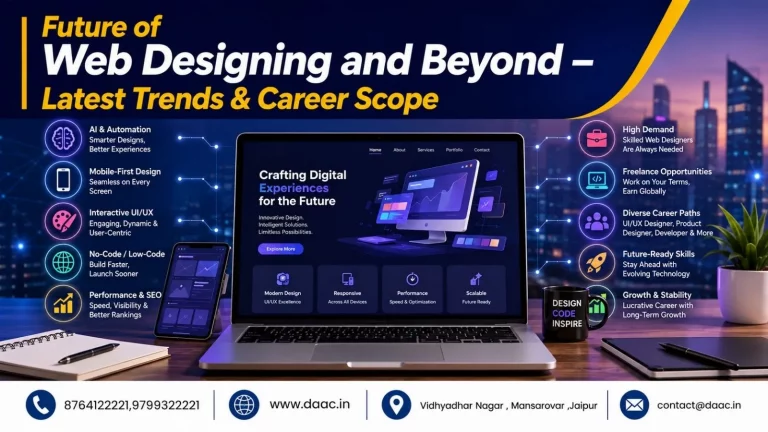
- Mobile-first design: Prioritizes the experience of users on smaller screens.
- Accessibility-focused design: Improves readability, keyboard navigation, color contrast, and usability.
- AI-assisted workflows: Help designers explore ideas, create initial drafts, and support repetitive tasks, while requiring human review.
- Interactive interfaces: Use meaningful interactions to guide visitors and make websites easier to use.
- Performance-conscious design: Uses suitable image sizes, fonts, and page elements to reduce unnecessary loading delays.
- Consistent design systems: Reuse colors, typography, components, and spacing rules across a website.
These developments make continuous learning important. Designers should understand the principles behind new tools instead of relying on automated features alone. Strong fundamentals, user-focused thinking, and practical problem-solving remain valuable as technologies change.
Why Responsive Web Design Matters
Responsive web design allows a website to adapt to different screen sizes and device orientations. It helps visitors access content without excessive zooming, horizontal scrolling, or difficult navigation.
Designers should test page layouts on different devices, keep text readable, make buttons easy to use, and ensure that important information remains accessible. They should also consider image optimization, accessible forms, and clear navigation.
Learning Responsive Web Design is therefore an essential part of preparing for modern website projects.
Conclusion
Web designing combines creativity, technical knowledge, and user-focused problem-solving to create effective digital experiences. Whether you are a student, graduate, or working professional, learning website design can help you explore different career paths. Practice regularly, build a strong portfolio, and update your skills as design standards evolve. If you are considering a Web Designing Course in Jaipur, explore the Web Designing Course in Jaipur at DAAC to learn more about the training option and how it may fit your career goals.