Introduction to AI in Web Design
AI isn’t just something tech giants monopolise anymore. These days, it is a handy everyday resource for students, freelancers, and workers. Grasping the concept of AI web design might be the very best thing you do next year, 2026.
What Is AI-Powered Web Design?
With machine learning algorithms, AI web design is able to aid in creating, designing, and optimising websites automatically, which means that instead of doing manual, time-consuming tasks, you just rely on intelligent automation.
Top AI web design tools in 2026:
- Wix ADI: Just tell in simple words what your site is about and get a complete draft immediately
- Framer AI: Converts simple text prompts into fully responsive layouts
- Adobe Firefly: Uses generative AI to produce on-brand visuals
Since these tools get trained on millions of websites, they are quite effective for beginners who are not yet fully familiar with design principles.
How AI Is Transforming the Web Design Industry
A recent report by McKinsey Digital in 2025 revealed that about 40% of design tasks in mid-sized companies are AI-assisted. Workflows that normally take weeks are now done in hours with the help of AI.
Examples of work AI is doing these days automatically:
- Designing the wireframes and the layout
- Picking the right fonts and colours
- Making responsive design changes
- Producing branded text and images
Recently, Shopify introduced a feature that enables merchants to create entire product pages within five minutes. These are the valuable web design tools that are actually transforming workflows.
Why Beginners Should Learn AI Tools in 2026
AI-assisted design is quickly becoming a baseline job requirement — not a bonus skill. Recruiters at TCS, Infosys Digital, and global agencies now list Framer, Webflow AI, and Canva AI in job descriptions.
Why 2026 is the ideal entry point:
- Most powerful platforms now offer free tiers
- A student in Jaipur can access the same web design AI free tools used in New York
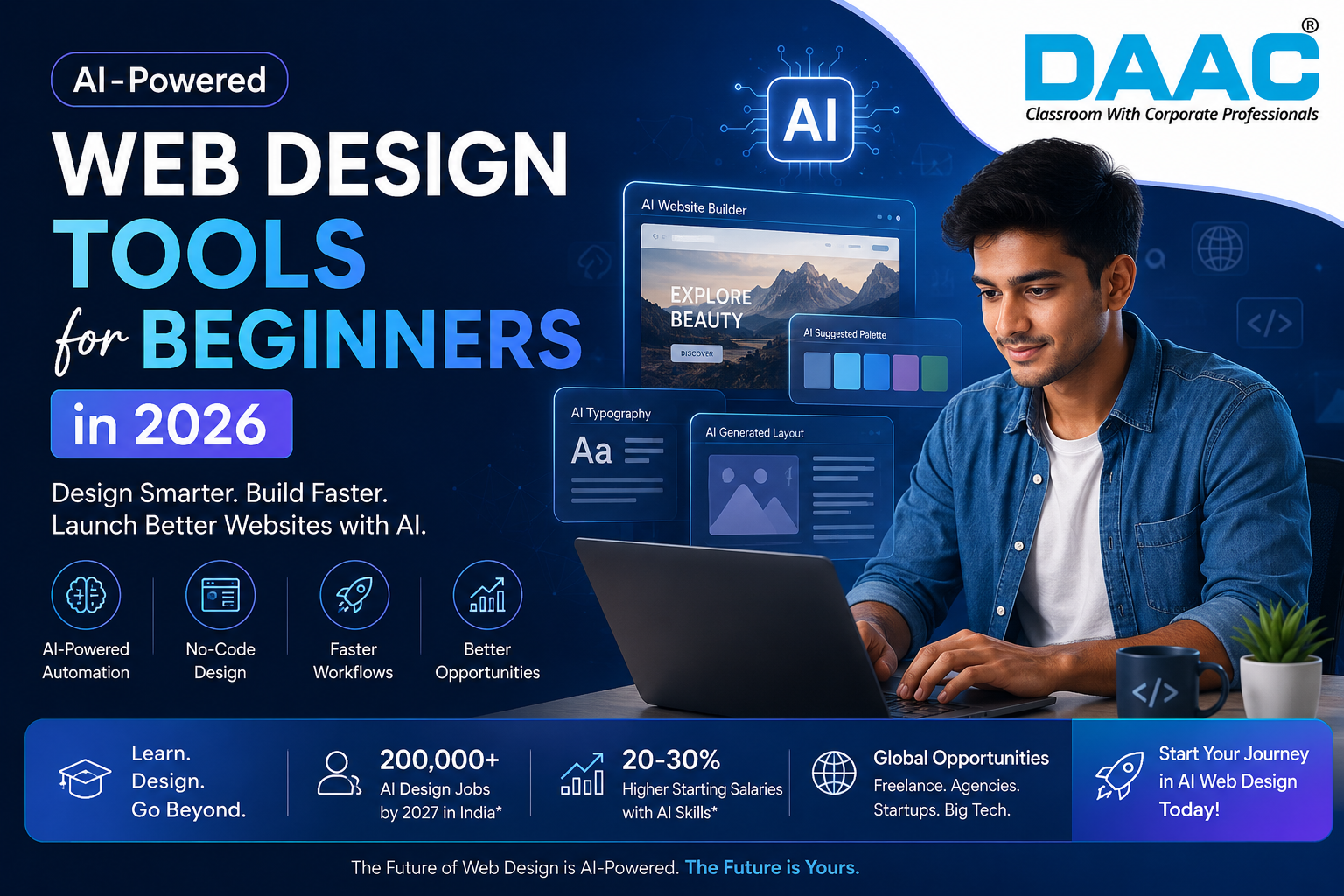
- AI-literate designers earn 20–30% higher starting salaries
- Institute curricula are rapidly integrating AI tools
How AI Website Builders Work
Understanding how an AI website builder works helps you use these tools more effectively.
Drag-and-Drop Automation Explained:
Modern drag-and-drop AI systems are much more advanced than the early days of Wix or Squarespace builders. They not only allow you to move elements around but also predict where the elements should be automatically.
How Framer AI manages layout updates live:
- Automatically line up the cards and sections based on the type of content
- Change the spacing for mobile, tablet, and desktop all at once
- Stick the elements to a clever responsive grid
AI Layout and Structure Generation
Durable AI and 10Web are platforms that can create complete web page layouts just from a single piece of text. This represents the easiest level of web design automation.
Example: Enter what comes next into Durable AI:
“A photography portfolio for a wedding photographer based in Jaipur”
The system produces:
- Hero section with large images
- Gallery layout in grid format
- Testimonials of clients
- Contact form, including a map
Content Suggestion and Auto-Design Systems
In fact, platforms like Webflow AI and Hostinger AI Builder examine your particular sector and communication style to construct full-page drafts for you in an automated way.
Here is what these tools can generate for you:
- Headlines and body copy in line with your brand voice
- Colour themes that fit your market
- Stock images that go well with your colours
- Text on the CTA button that encourages the user to act
Adobe Express, for example, produces graphics that are consistent with your brand and match the typography of the webpage automatically. This way, getting rid of the fear one could get when starting with a blank page.
Best AI Web Design Tools for Beginners
Choosing the right web design software depends on your budget and learning goals.
Free AI Website Design Tools for Students
Top web design AI free options for students:
| Tool | Free Plan Includes | Best For |
| Framer | AI layouts, 2 published projects | Portfolio sites |
| Canva AI | Website builder, AI design suggestions | Event & promo pages |
| Hostinger AI | Full AI generation, 30-day trial | Business landing pages |
| GitHub Copilot | Free via GitHub Education Pack | Code-focused learners |
Paid AI Platforms for Professionals
Here are some powerful paid platforms that you can check out when your budget is ready:
- Webflow (from $14/month) AI layouts with complete CSS/JS control. The golden standard in the industry.
- Adobe XD + Firefly (Creative Cloud, $54.99/month) A web design app on the enterprise level that allows design-to-code export.
- Relume (from $38/month) Converts text prompts into full site maps. A lot of freelancers use it for pitching clients.
As pros, typically, they manage to reduce the initial design phase by 50%-70%.
Which Tools Are Best for Learning in Institutes
Top web design software for institute-level learning:
- Figma: This is the number one design tool taught all over the world. It is the easiest way to step into professional design settings.
- Webflow: It is becoming an important part of web development courses. It is an ideal no-code versus pro-code platform.
- Canva AI + Wix ADI: These two are best suited for beginner courses. They have a low learning curve, yield great results, and keep beginners engaged.
Role of AI in UI/UX Design
AI is fundamentally changing how designers research, ideate, and test in 2026.
AI-Based Colour and Typography Selection
In the past, determining the perfect palette and typography often hinged on having a lot of experience. Still, AI tools are now making such expert-level capabilities available to everyone.
Best AI colour and typography tools:
- Khroma: Understand your taste and create colour combinations tailored to you, with previews of real interfaces
- Adobe Colour AI: Pulls out harmonising colour schemes from any logo or image
- Fontjoy: Matches display and body fonts, incorporating ML-based scoring for readability
Smart Wireframing and Prototyping
At the heart of deep learning, AI wireframing tools are continuously innovating to transform what in the past would have taken months of execution and learning into a few hours of tangible output.
Top AI wireframing tools for beginners:
- Uizard: It transforms a sketch photo into an editable digital prototype.
- Visily: It can create screen layouts based on text input.
- Galileo AI: It generates beautifully detailed UI screens based on a single sentence.
User Behaviour Prediction in Design
With machine learning, it is possible to anticipate the exact areas that users will fixate on even before any human visitors have arrived.
- Attention Insight: Creates forecasted eye-tracking heatmaps based on mockup submission
- Neurons AI: Checks the effectiveness of the call-to-action placement with the help of visual recognition models
- Hotjar AI: Automatically generates session recording summaries highlighting user sticking points
Benefits of Using AI in Web Design
Faster Website Creation Process
- A complete 5-page business website is now delivered in one working day
- AI tool users complete projects 62% faster on average (Clutch, 2025)
No-Code and Low-Code Development Advantage
Automated web design has really opened up professional-level website creation to those who have no programming skills.
The best no-code AI platforms for 2026 are:
- Webflow: It visually designs with AI-generated logic; you don’t have to write any code.
- Bubble: It produces dynamic, database-connected web applications without programming.
- Softr: It changes the data of Airtable or Google Sheets into complete web applications.
Career Opportunities for Students and Freshers
- Annual job postings for AI design skills have gone up by 35 40% (LinkedIn & Naukri.com, 2025)
- New graduates with AI skills get 20 30% more on their initial salaries (DesignRush, 2025)
- Besides TCS and Wipro Digital, many global agencies mention AI tools as the skills they prefer these days
Limitations of AI in Web Design
Lack of Creativity in Automation Tools
AI creates designs mainly reflecting successful ones from the past, not the ones that have never been experimented with.
- Failing to invent a truly new visual concept
- Generating secure, recognised layouts mainly conforming to ordinary patterns
- Unable to recreate the creative flair behind legendary designs like the first Airbnb or Apple launch pages
Learners who solely depend on AI may end up with a portfolio of proficient but unremarkable works.
Dependency on Pre-Built Templates
AI website builder platforms mainly pass outputs through pre-designed template libraries. That “AI is mostly about smart template customisation, not genuine design originality in a lot of cases.
- More often than not, unique brand identities get stuck in awkward template fits.
- One has to work beyond the platform itself when one wants a custom structural layout.
- Agencies give custom Figma-to-developer handoffs as if making students pick a template is their only missing skill.
Why Human Designers Are Still Needed
What human designers alone can contribute:
- Emotional empathy: Recognising the impact of design decisions on vulnerable audiences
- Engaging with clients and communicating with stakeholders
- Innovating in design where there is no data or example to base on
- Cultural sensitivity: For example, a design that strikes a chord with people in Rajasthan may fall flat in Tokyo
It is probably better to put it this way in 2026: “Designers using AI tools will supplant designers who decline to work with AI.”
Future of AI Website Design in India and the Global Market
India is uniquely positioned globally, with a massive young tech-literate population driving demand for AI-skilled web design software expertise.
Demand for AI-Skilled Web Designers
NASSCOM projected a shortage of 200,000+ AI-literate design professionals in India by 2027. Top cities: Bengaluru, Hyderabad, Pune, and Jaipur.
Growth in Freelance AI Design Jobs
- Fiverr AI web design services grew 80%+ in 2024–2025
- Tier-2 city students winning international clients using modern web design tools, no relocation needed
Industry Trends in 2026 and Beyond
- Generative UI: Websites that modify their layouts given user behaviour (Myntra, Amazon experiments)
- Voice-to-design: AI carries out spoken commands live (Adobe, Figma)
- Making web content more accessible: AI can promptly identify and fix the WCAG compliance problems
How DAAC Helps Students Start Learning AI Web Design
DAAC trains students in the art of creating practical AI web designs through a combination of expert-led sessions, practical work on projects, and preparation for the industry, thereby equipping them to achieve remarkable careers in contemporary web development and AI-driven design.
Beginner Roadmap for Web Design Students
Month 1-2: Fundamentals
- Study visual hierarchy, colour theory, typography, and grid systems
- Get started with web design AI free tools: Canva AI and Framer free tier
Month 3-4: Tool Proficiency
- Switch to using Figma with AI plugins (Magician, Automator)
- Get to know Webflow’s no-code environment
Month 5-6: Real Projects
- Create a real project, a local business website, a student club page, or a portfolio
- Write or record your experience and publish your work publicly to build your portfolio
Recommended Practice Projects
- Personal portfolio using Framer AI
- Local business redesign restaurant, salon, or coaching centre
- Mobile app prototype in Figma with Uizard wireframing
- Behance or Awwwards competition entry creates a great exposure for you in front of the industry professionals and boosts your credibility
Skills Required for Institute-Level Training
Core skills checklist:
- Figma Components, auto layout prototyping, developer handoff
- Basics of HTML & CSS: To effectively dialogue with developers
- UX research: Creation of user personas, journey mapping, usability testing
- One AI website builder, Webflow and Framer are good options
- One generative design tool, Adobe Firefly or Canva AI
- Web design automation workflow, AI draft, human refinement, client delivery
Having these abilities, students can easily jump into freelance, agency, or in-house environments.
Conclusion
The way AI web design is used nowadays is changing the whole concept of website creation. It becomes much less time-consuming, more intelligent and approachable to a great number of people than ever before. Machines like Framer AI, Webflow AI, Canva AI and Adobe Firefly have been released to allow even a newborn to create an online store without a very long study of their knowledge. But, while a machine can do a lot of the making tasks and put your line of work on a very smooth journey, some aspects of the job that distinguish humans from doing the job of a machine are still those of humans. Most in particular, those aspects are: coming up with the initial ideas which are purely human, the human mind conducive to the overall strategy and designing based on how the human mind focuses on the user. On one hand, by studying in a classroom, both the basics of design and tools powered by AI. However, students will be able to locate themselves among other people who are earning their living through freelancing, working with agencies, and people from startups and big tech companies worldwide. Since there is more and more demand for designers skilled in AI, 2026 should be the ideal time for you to start working on your expertise in AI web design and building an excellent groundwork of skills for the future of the digital industry.
Frequently Asked Questions About AI Website Design
Which free AI website builder will be the best for beginners in 2026?
Framer stands out as the best option due to its free features, including AI layout generation, complete responsiveness, and capability of publishing two projects at most. Canva AI is the second-best choice, mainly for students, as it gives very quick landing page creation without any steep learning curve.
Is it possible to learn AI web design totally without coding knowledge?
Absolutely! Webflow, Framer, and Wix ADI are designed for even those who don’t know how to code at all. They can autonomously manage layout, responsiveness, and performance. Still, having some basic knowledge of HTML and CSS will be helpful when talking to developers or going beyond the platform limitations for customisation.
Are there career opportunities in AI website design for students in India?
This is among the fastest-expanding career fields in India. NASSCOM estimates that India will need over 200,000 AI-skilled design professionals by 2027. New grad designers familiar with Figma and Webflow can expect a 20%-30% higher initial salary than their counterparts without these skills, per a 2025 report by DesignRush.